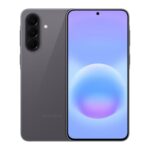
The handover matters more than the listing photo.
A used Android phone can open apps at the seller’s table yet ask for a previously synced Google account during setup after a reset. A home-screen screenshot—and a seller’s assurance—cannot show whether that will happen. Google describes this check as device protection.
The meaningful check is for the seller to remove their Google account, reset the phone and show that setup can proceed without requesting the previous owner’s credentials. If that cannot be demonstrated before payment, the account-lock risk remains unresolved.
Arrange a setup demonstration
Before paying, agree to an in-person setup demonstration. The phone needs enough battery and a working Wi-Fi or mobile-data connection to complete setup; a flat battery or unavailable network leaves the check unfinished.
Ask the seller how they acquired the device and whether they are authorised to remove its Google accounts. The account holder should remove those accounts themselves before the phone is reset; a buyer does not need to handle the seller’s password. Allow time to start setup after the reset and check whether it asks for a previously synced account.
For a remote listing, photographs or a video of the home screen offer less certainty than a completed setup demonstration. If an in-person check is unavailable, the stated returns process becomes particularly important.
Check accounts in device settings
Ask the seller to open the phone’s device-level account list in Settings and show every Google account attached to it. The route varies by manufacturer and Android version; it may appear under Passwords and accounts, Accounts, or Accounts and backup. If an account remains, the authorised account holder can remove it through Settings before the phone is reset. There is no need to share a password with a buyer.
An empty home screen, a guest session or a signed-out Gmail app does not establish that the device’s Google accounts have been removed. Those views do not show the full account list.
Also check for a work profile or school-managed account. Removing a personal Google account may not release a device from organisational management; the seller may need the organisation to remove it separately. Account-list checks are useful preparation, but completing setup after a reset remains the stronger check.
Have the seller remove their Google account
The seller should remove every personal Google account through device settings before resetting the phone. On many Android devices, the route is Settings → Passwords & accounts → select the account → Remove account. Menus vary by model and Android version, so Google’s account-removal guidance and the manufacturer’s instructions for the exact model can help if the option is hard to find. Removing an account from the phone does not delete the Google account itself.
After the accounts have been removed, the seller can factory-reset the phone through Settings. The buyer can then watch it restart and proceed through setup. A request for an account previously synced to the phone means the account-verification check has not passed.
The buyer does not need the seller’s password. If removal prompts for a password or screen-lock code, the seller should enter it privately on the device—not share it or type it into a buyer-provided form.
Let the seller reset the phone through Settings
-
Allow time for a backup
After removing their Google account, the seller may need to save any photos, messages or other data they want to keep. A factory reset erases data stored on the phone.
-
Find the reset option in Settings
The seller can look for a factory-reset or erase-all-data option, commonly under System or General management. Menu names vary by manufacturer and Android version.
-
Let the seller confirm the reset
The phone may request its PIN, password or another security confirmation. The seller should enter this privately and allow the reset to finish without interruption.
-
Wait for the setup screen
A welcome screen shows that the reset has completed, not that FRP is clear. The subsequent setup must be observed to see whether the phone asks for a previously linked Google account; an already-reset phone offers no equivalent evidence on its own.
Continue setup to check for account verification
A reset phone is not cleared by reaching the welcome screen. Connect it to Wi-Fi or mobile data, then continue through language, terms and other setup screens until the account stage is clear. An offline demonstration may not show whether previous-account verification is required.
Look closely at the wording of any sign-in screen:
- Previous-account verification: The phone requires a Google account previously synced with the device before setup can continue. Some devices may instead accept a screen lock previously used on that phone. This is the check that matters for Factory Reset Protection (FRP).
- Optional sign-in: The phone offers a way to skip adding a Google account and continue setup. That is different from a demand to verify a previous account.
If verification appears, the authorised seller can enter the required details privately; the buyer does not need to see a password or PIN. If the seller cannot complete verification, or setup cannot be taken far enough to distinguish a mandatory prompt from an optional sign-in, the check remains unresolved. Do not treat the welcome screen alone as proof that the phone is ready for a new owner.
Read the setup prompts
A demand for a Google account previously used on the phone means the FRP check is not complete. The wording matters: an invitation to add a new account is different from a requirement to verify an old one.
| Setup prompt | What it means | Next action |
|---|---|---|
| Verify a Google account previously synced with this device | Previous-account verification remains active. | Ask the seller to resolve it through legitimate account recovery or the authorised account holder, then reset and repeat the setup check. |
| Sign in with a Google account, with a Skip option | Adding an account is optional at this stage; this is not, by itself, an FRP demand. | Skip sign-in and continue setup to check for further prompts. |
| Enrol or sign in to manage the device for an organisation | The phone may still be tied to a business or school. | Ask the seller for release by that organisation and repeat setup. |
Reaching setup completion is useful evidence that the phone passed this check. It does not establish ownership or rule out other restrictions.
Check remote evidence and marketplace protections
Photos and videos can document a remote seller’s setup demonstration, but they cannot reliably prove that the phone shown is the one delivered. A continuous recording showing the device identifier, reset and network-connected setup is more useful than a photo of the welcome screen, though the identifier should not be posted publicly. The most meaningful check remains setting up the exact phone received.
Marketplace protections may offer a route to report a phone that arrives locked, but eligibility, deadlines and evidence requirements vary. When comparing Amazon Renewed and eBay Refurbished, check the applicable returns terms and keep the listing, seller messages and setup-prompt photos. Neither a refurbished label nor a seller’s reputation confirms that FRP is clear.
Check the listing before a posted phone arrives
For a posted phone, check its stated condition, delivery arrangements and return terms before paying. A condition grade does not show whether the previous Google account has been removed.
The refurbished phone condition grades may describe cosmetic wear or battery standards, but account verification is a separate issue. Check whether the listing identifies the exact model and whether any warranty covers faults rather than account locks.
Look for tracked delivery, a clear returns window and the process for reporting a phone that requests the previous owner’s credentials. Keep the listing and seller’s written statements: they can help document what was promised if setup after delivery reveals a problem.
Check the phone’s identity and network status
Before paying, confirm that the handset matches the listing and can be used on the intended UK network. These checks complement the reset-and-setup test; none establishes that FRP is clear.
- Model and variant: Compare the model number, storage capacity and colour shown in Settings with the listing. Check whether it is a UK or imported variant, particularly if network support differs.
- Network: Confirm the phone is unlocked or compatible with the intended provider. Check the exact model’s supported bands against the provider’s published requirements.
- IMEI: Match the IMEI displayed by the phone to its packaging or documentation, if supplied, and check whether the phone’s IMEI is blacklisted. A clear IMEI check does not rule out FRP; only setup after a proper reset addresses that separate question.
What completes the FRP check
- Account removed The seller removes their Google account from the phone before resetting it. A home screen alone does not establish what will happen after a reset.
- Settings reset The seller performs the reset through Settings, and the phone reaches the welcome screen.
- Connected setup Setup continues with a network connection and does not demand a previous Google account or previously used screen lock. This establishes what happened during that setup, not a guarantee about every other lock or restriction.
- Same phone The demonstration and agreed terms correspond to the exact phone, variant and stated condition being supplied.
If any stage cannot be observed or completed, FRP remains unverified. Keeping the listing and agreed terms provides a record of what was represented. Once access is resolved, delivered cost, returns and what a refurbished warranty covers can be compared alongside the phone’s condition.
Research-based guidance prepared with automated assistance. How our comparisons and editorial checks work.